Kunobi: A Local Kubernetes Desktop for GitOps and Multi-Cluster Management
February 20, 2026
–
4 min read
News
Kunobi is a native desktop Kubernetes workspace built at Zondax to reduce GitOps complexity in multi-cluster environments. It runs locally using your existing kubeconfig, adds structured visibility for Flux, and complements CLI workflows. No SaaS. No proxy. Just Kubernetes and GitOps, made visible.
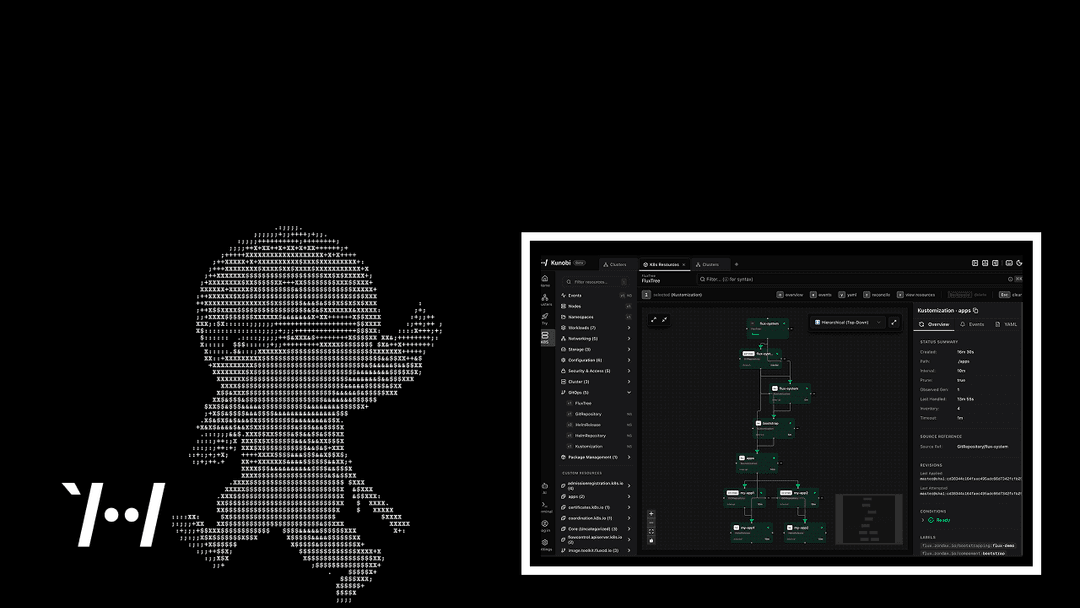
Native desktop (Tauri/Rust), local kubeconfig, and a built-in Flux visualization. No SaaS.
If you manage Kubernetes in production, you've hit the moment where the system exceeds what you can hold in your head.
Three clusters, a terminal per context, and you’re reconstructing the state of the world from kubectl get output because the important relationships are scattered across commands and views. kubectl and k9s are fast and you use them every day, but they keep a lot of context in working memory. Many GUI options add structure, but often come with heavier runtimes and additional auth or setup overhead.
Kunobi is a native desktop Kubernetes workspace built at Zondax, designed to make GitOps and multi-cluster operations visible without replacing the CLI.
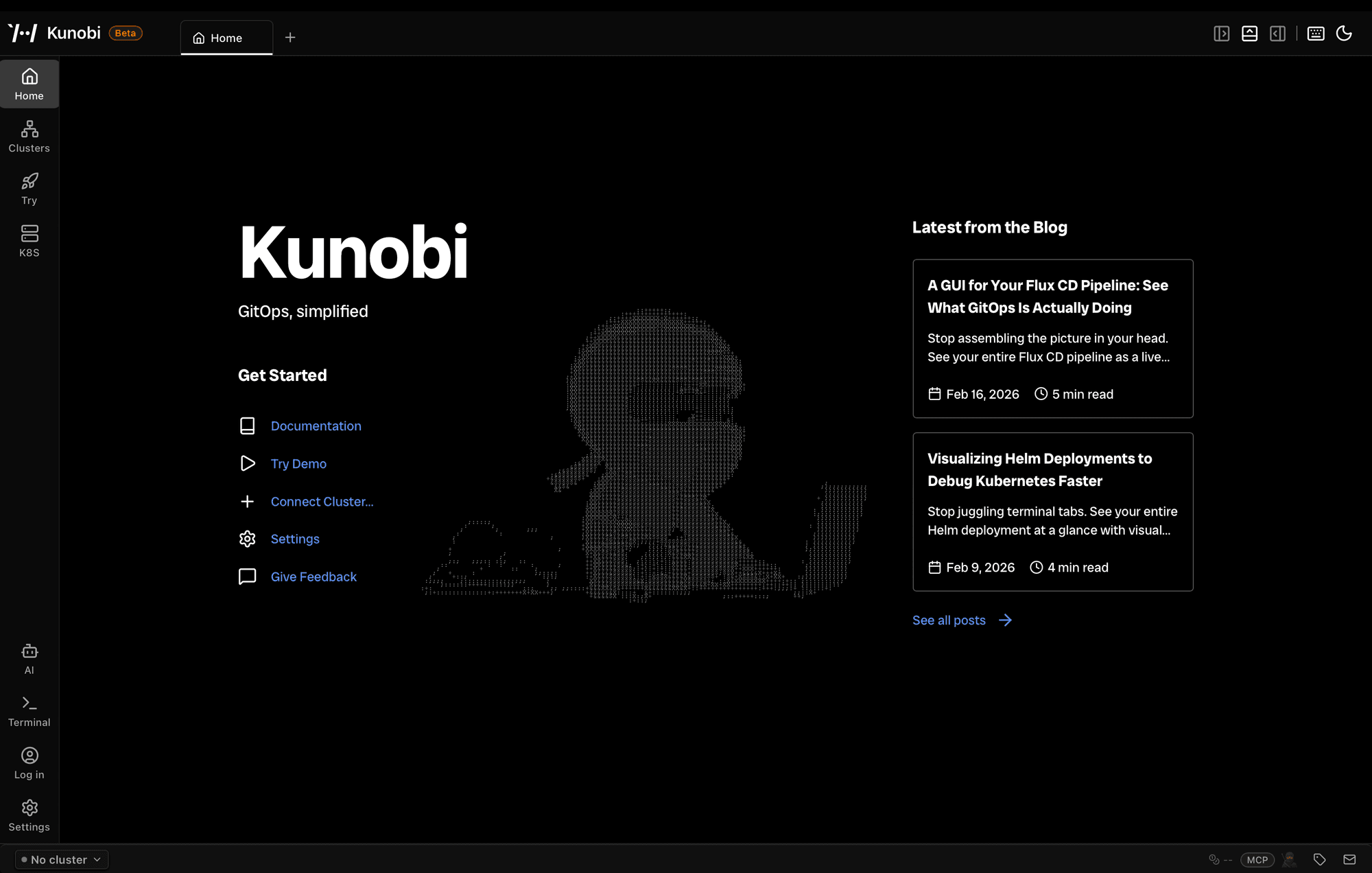
It runs locally (Tauri + Rust), reads your existing ~/.kube/config, talks directly to Kubernetes APIs, and adds structured visibility where terminal workflows alone become cognitively expensive. No SaaS. No proxy. No control plane.
Where the Context Switch Tax Shows Up: Flux
We built kunobi while operating production clusters with Flux and GitOps. If you run Flux CD, you’ve done this: flux get kustomizations, then flux get helmreleases, then manual correlation to figure out what depends on what and where failures propagate.
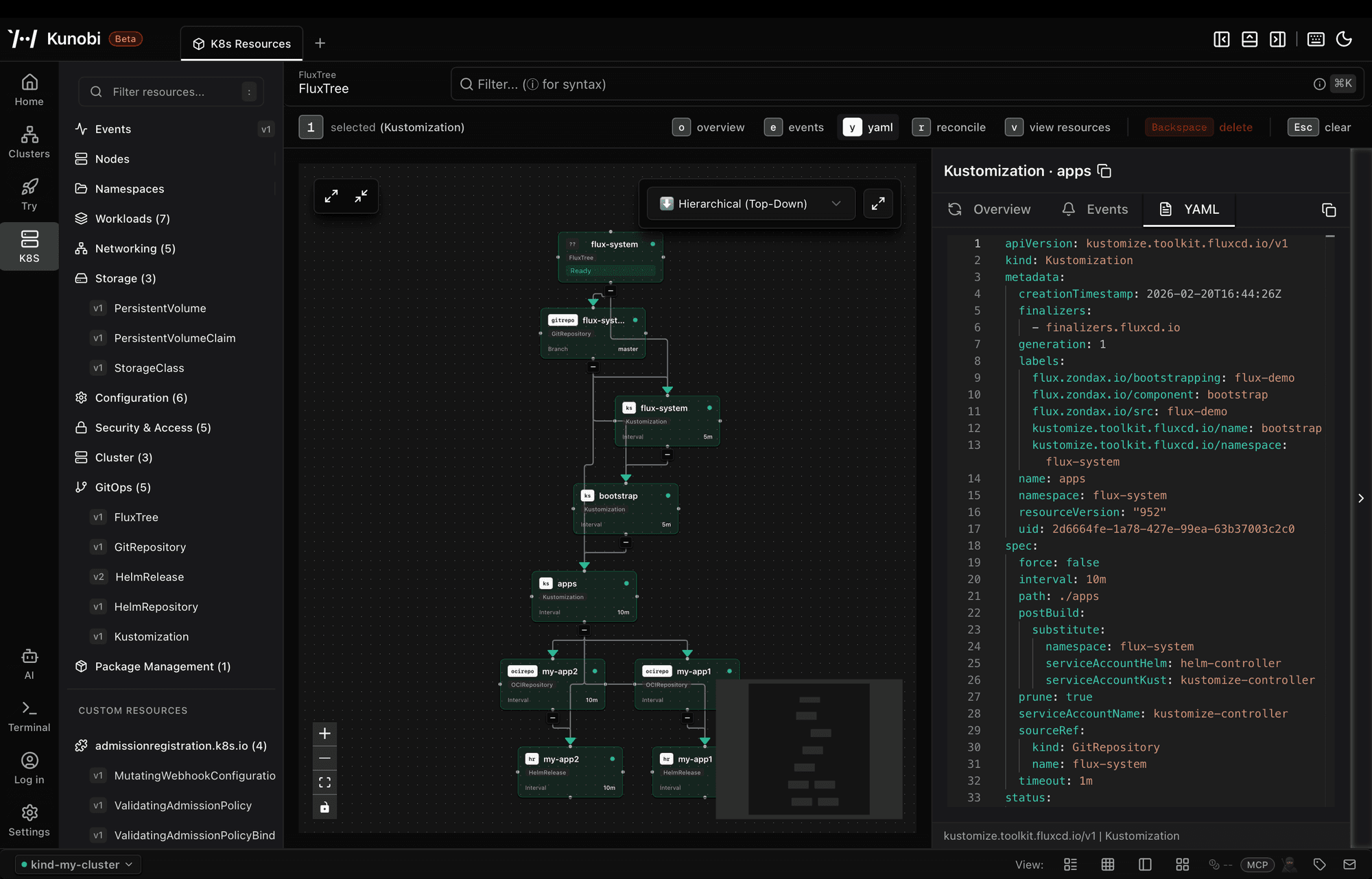
Kunobi renders Flux state as an interactive flow graph: sources, kustomizations, Helm releases, and their relationships so you can see what’s synced, what’s drifting, and what’s blocked without stitching it together mentally.
What Kunobi does
Kunobi is a Kubernetes-native desktop workspace. It can browse and edit resources, manage multiple clusters, open integrated terminals, and provide GitOps visibility for Flux.
Multi-cluster navigation is designed for fast context switching: favorites, recent contexts, and keyboard-driven navigation across staging/prod/dev. For day-to-day resource work, Kunobi provides a high-performance resource explorer capable of handling clusters with hundreds of nodes and thousands of resources without UI lag, along with an integrated YAML editor for direct, in-place modifications. Terminals are integrated so you can keep CLI sessions close to the context you’re inspecting, including concurrent sessions across clusters. For development loops, Kunobi can also create and manage local KIND clusters from the same workspace.
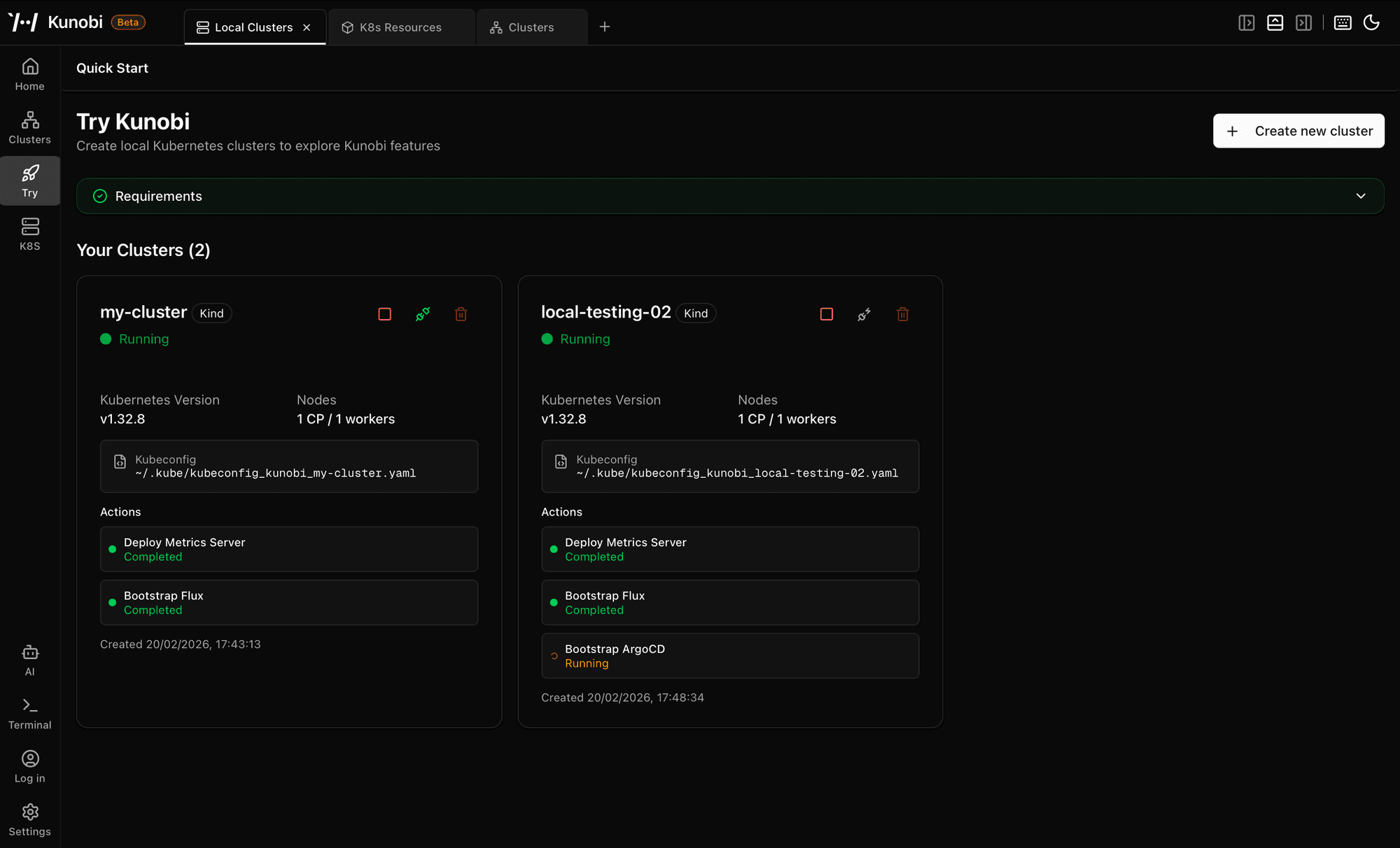
If you’re on a platform/SRE team managing multiple production clusters, run Flux CD and want visibility beyond flux get, or want a local tool that avoids a heavyweight runtime, Kunobi is probably for you.
What Kunobi Is Not
Kunobi is not a hosted SaaS, a cluster proxy, a replacement for kubectl, or a proprietary control plane. It does not modify your existing GitOps model or introduce new abstractions around it. Kunobi runs locally, uses the credentials already present in your kubeconfig, and operates strictly within the boundaries enforced by your cluster’s RBAC and API controls.
Security Model
Kunobi acts on behalf of the operator using the credentials already present in ~/.kube/config. It does not introduce an additional trust boundary. Kunobi talks directly to Kubernetes APIs using your local credentials and does not proxy them. Telemetry is off by default.
Kunobi does not defend against a compromised workstation or kubeconfig, and it does not bypass cluster controls. It enforces whatever RBAC the cluster enforces: if your identity cannot modify a resource via Kubernetes APIs, Kunobi cannot either. The intent is to keep the attack surface small (local application, local credentials, direct API calls) and avoid expanding that surface without strong justification.
For teams that need additional controls, features like audit logging, SSO integration, and RBAC management are on the roadmap.
Getting Started
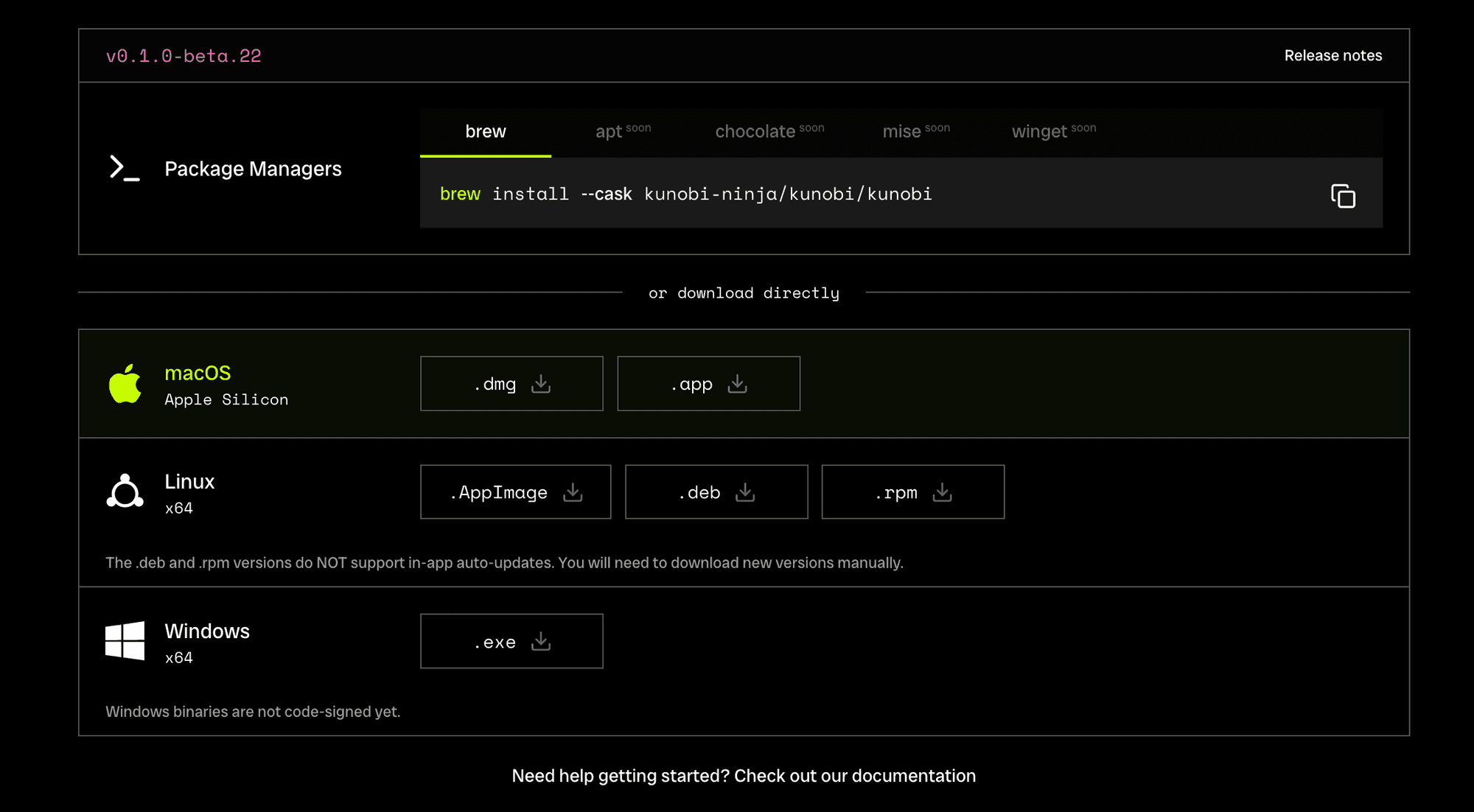
Install the latest release for macOS, Linux, or Windows. On launch, Kunobi reads your existing kubeconfig. Select a context, browse resources, open an integrated terminal, or use the Flux view if you’re running GitOps.
What's Next
We’re working on background diagnostics, advanced RBAC and Audit Logging. Kunobi will continuously observe cluster state locally and flag anomalies relative to known-good baselines. We’re also building a plugin system so you can add your own extensions.
If a workflow is still broken for you, let us know at [email protected].
Kunobi is for engineers who manage Kubernetes and want a local workspace that reduces context switching without replacing the CLI. It started as an internal tool at Zondax, and we’re sharing it as we keep iterating with operator feedback.
Download Kunobi and start simplifying your Kubernetes workflow today.
[GitHub] [Documentation] [Releases] [Support]
Read More
The Polkadot Ledger Migration Assistant
The Polkadot Migration Assistant guides users through a smooth, step-by-step transition to the Universal Polkadot Ledger app.
Polkadot Ledger App: Improved Compatibility and Transaction Clarity
The Polkadot Ledger App has been updated with Gen5 support, a modern NBGL UI, clearer asset transaction displays, and improved signing reliability. The new version is already available to install via Ledger Live
Ensuring a Smooth Transition: Using the Migration App for the Universal Polkadot Application
The new Polkadot app is here! Use the Migration App on Ledger to easily transfer your funds from your existing account to a new account with the updated Polkadot app.
Other Articles
Security
May 2, 2025
The Polkadot Migration Assistant guides users through a smooth, step-by-step transition to the Universal Polkadot Ledger app.
News
January 6, 2026
The Polkadot Ledger App has been updated with Gen5 support, a modern NBGL UI, clearer asset transaction displays, and improved signing reliability. The new version is already available to install via Ledger Live
Security
July 3, 2024
The new Polkadot app is here! Use the Migration App on Ledger to easily transfer your funds from your existing account to a new account with the updated Polkadot app.
News
The Polkadot Ledger App has been updated with Gen5 support, a modern NBGL UI, clearer asset transaction displays, and improved signing reliability. The new version is already available to install via Ledger Live
Security
The new Polkadot app is here! Use the Migration App on Ledger to easily transfer your funds from your existing account to a new account with the updated Polkadot app.
