Kusama Ledger App

We are happy to announce Ledger Nano S and X support for Runtime 1062. Polkadot.JS is also integrated (Thanks Jaco!) We are preparing the documentation to submit to Ledger for publication in Ledger Live.
Github Apache License CircleCi
The following project has been funded by the Web3 Foundation. Thanks!
We are happy to announce Ledger Nano S and X support for Runtime 1062. Polkadot.JS is also integrated (Thanks Jaco!) We are preparing the documentation to submit to Ledger for publication in Ledger Live.
Please notice:
- Kusama is an early, unaudited and unrefined release of Polkadot". EXPECT CHAOS.
- Do not use a Ledger device with funds for development purposes.
- Have a separate and marked device that is used ONLY for development and testing
Milestone 1 - Warnings
- The app has not been reviewed or published by Ledger. At this stage, we recommend using the app only for testing purposes.
Overview
Polkadot.js has already integrated Ledger support.
At this stage:
- Only Ed25519 signatures are supported and derivation is based on Ed25519+BIP32. (sr25519 coming soon)
- Support 140 methods. There are a few methods that are still not supported.
- We are looking at having full mnemonic portability between subkey and Ledger devices.
- Integrated Zemu tests and test case generation.
- JS integration library
Basic Usage
Enable Ledger support
Ledger support is not enabled by default
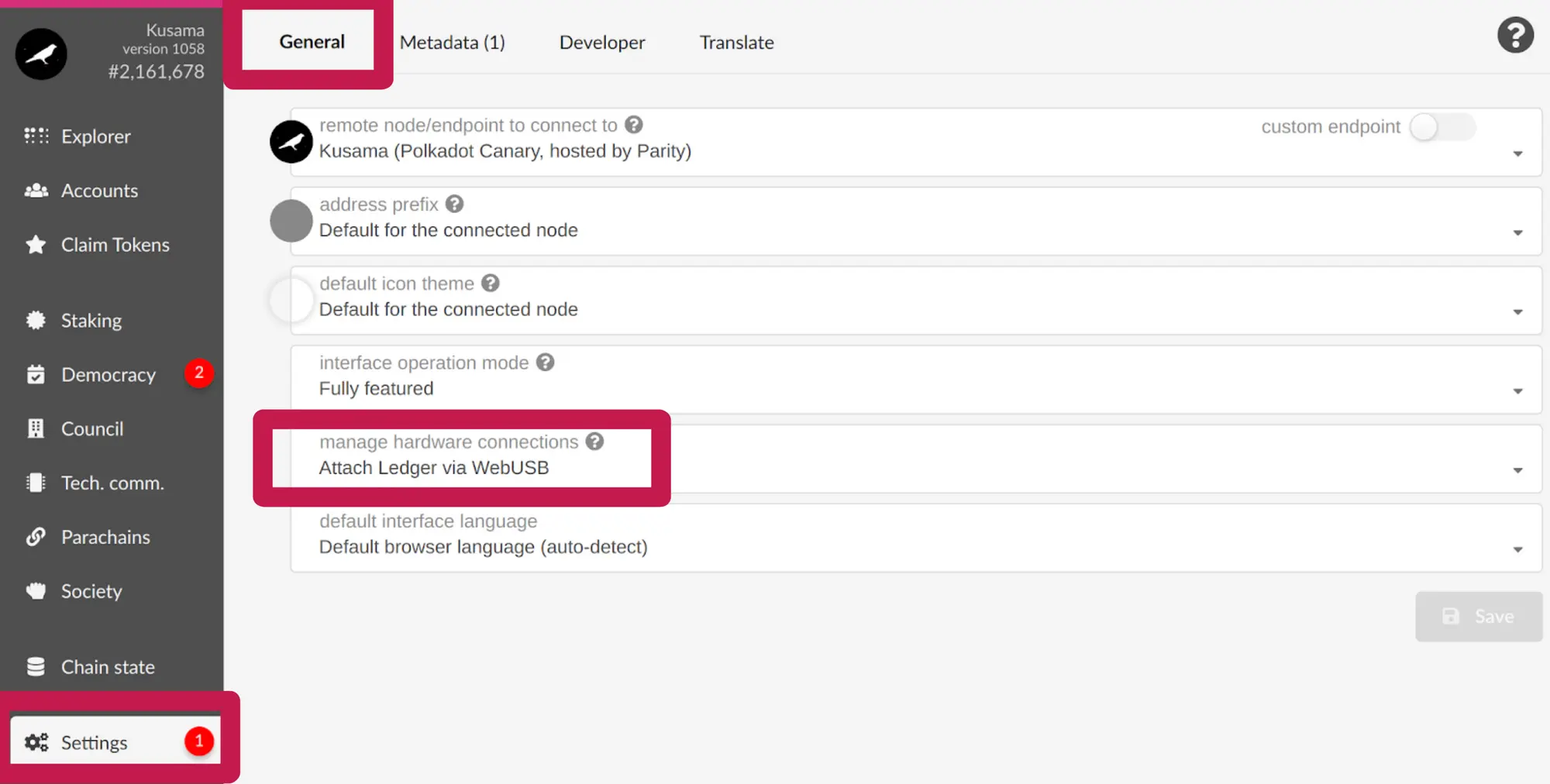
- First, go to Settings (on the left)
- Change “Manage Hardware Connections” to “Attach Ledger via WebUSB”
- Click Save
Retrieve your address
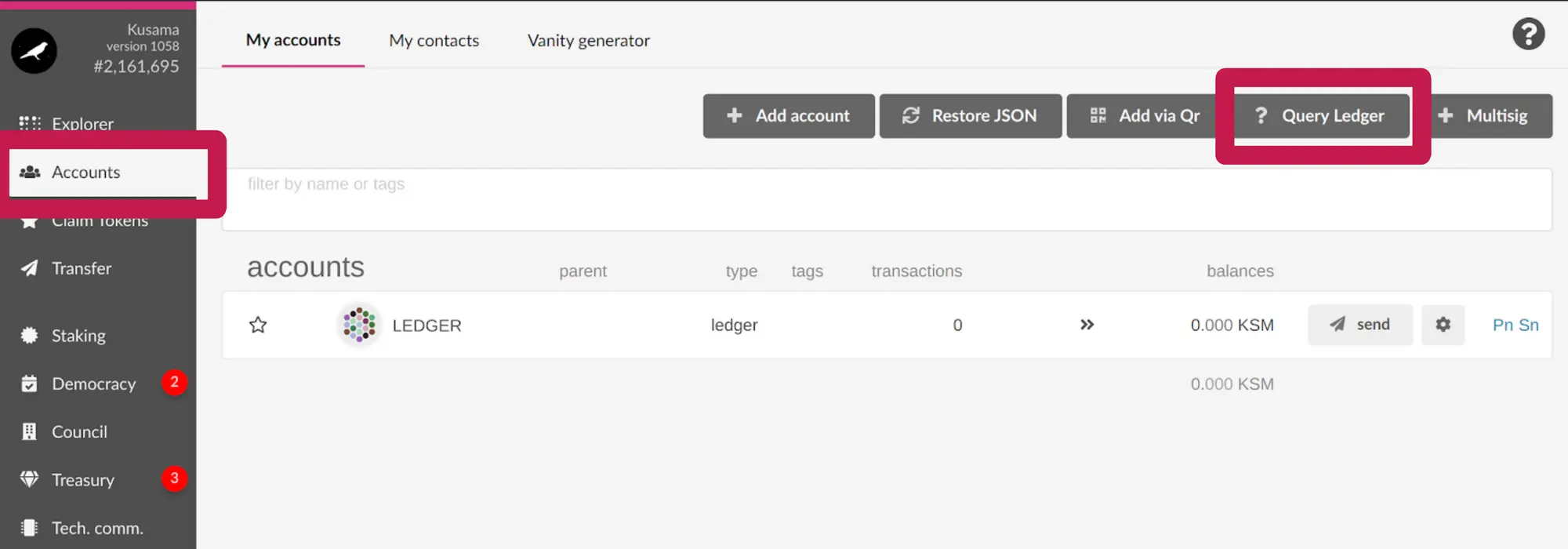
- Go to accounts (left)
- Open the Kusama app in your device
- Click “Query Ledger” at the top
- Your address will be retrieved from the device and shown in the screen
Confirm your address
- Go to accounts (left)
- Open the Kusama app in your device
- You can see your address in the device by clicking on the gear and choosing “Show address on hardware device”
- The device will show your address in the screen. You can confirm it is the same that the one shown in the website.

Sending KSMs
Sending is very similar as normal accounts.
- Go to accounts (left)
- Open the Kusama app in your device
- Click Send

- Fill out the corresponding information
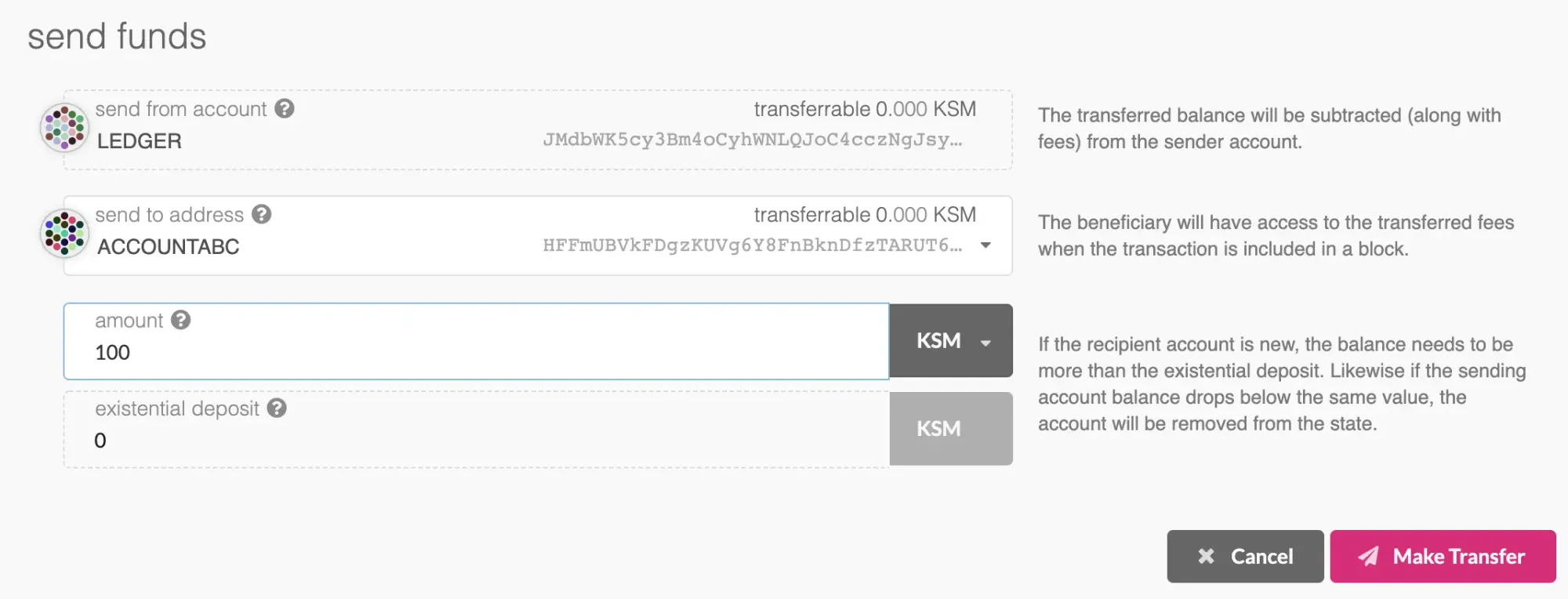
- Then to authorize the transaction, click "Sign via Ledger"
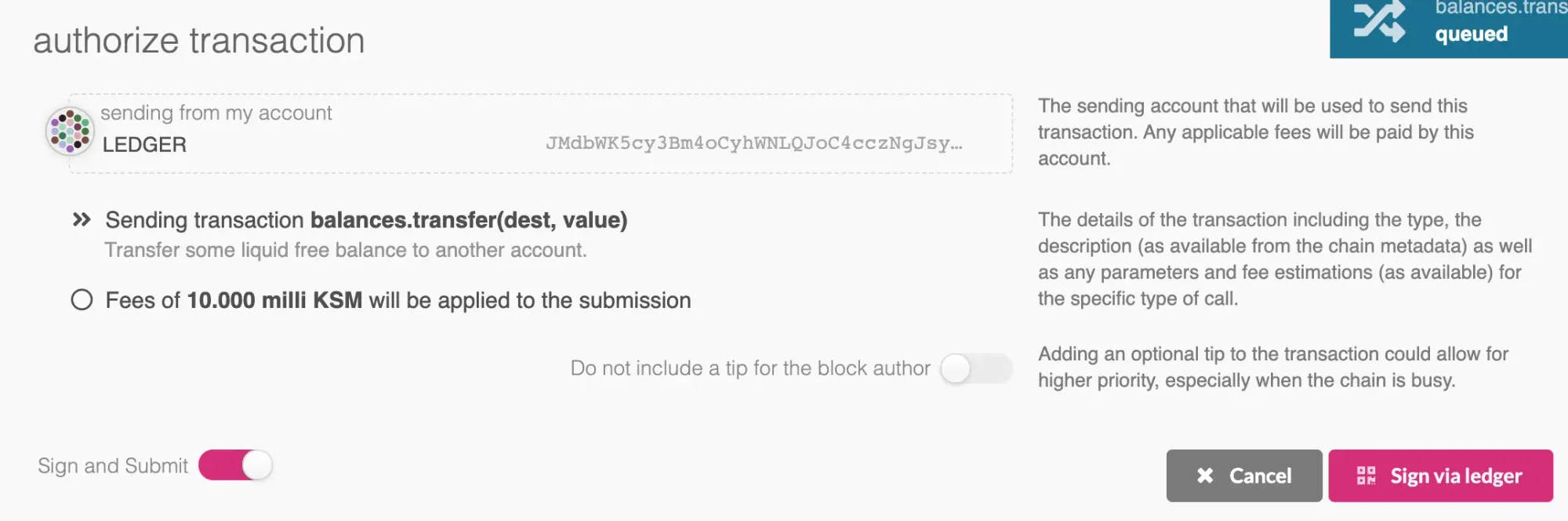
- You will see all the fields in your device, click "Sign Transaction". Polkadot JS will immediately relay the signed tx to the network.
Coming soon...
What is planned:
- sr25519 support
- Support for multiple runtimes at the same time
- Polkadot and other substrate-based apps!

Other Articles
Polkadot Ledger App: Improved Compatibility and Transaction Clarity
The Polkadot Ledger App has been updated with Gen5 support, a modern NBGL UI, clearer asset transaction displays, and improved signing reliability. The new version is already available to install via Ledger Live
Filecoin Network v27 “Golden Week” Upgrade: Here's What to Expect
Get ready for Filecoin’s next step forward: NV27 “Golden Week”. Going live Sept 24, it strengthens miner security, streamlines sector operations, and improves developer tools. Upgrade to Lotus v1.34.0 today.

Polkadot Ledger Migration Assistant: Now Live
The Polkadot Ledger Migration Assistant offers a complete solution for migrating from legacy Ledger accounts to the new Polkadot generic app. With support for 17 networks users can safely transition their entire portfolio through one unified interface.